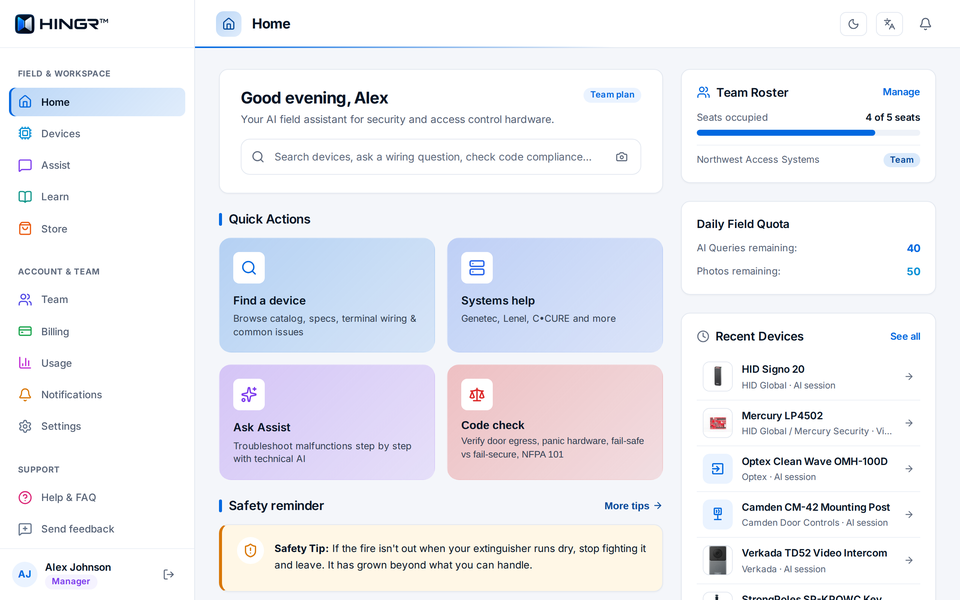
370+ devices, one card each
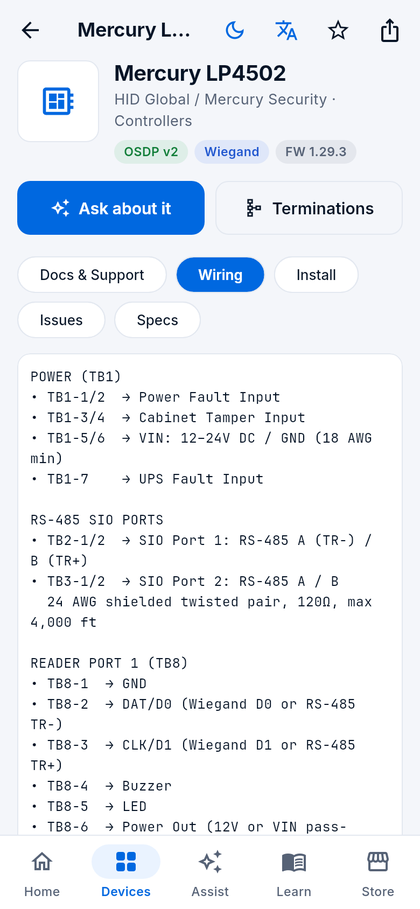
Type a name, a model number or an alias — the search is forgiving, so LP-4502, LP4502 and Mercury 4502 all land on the same card. On your phone in the field, or in a desktop browser at app.hingr.ai/devices with the wiring table and the documents side by side.
- Wiring terminal by terminal, with wire gauge, distances and protocol notes.
- Install notes, common issues and specs in their own tabs.
- Documents — spec sheet, install manual and manufacturer wiring diagram when the maker publishes them.
- Sample video tutorials on the device card.
- Manufacturer support contact details — the maker's tech support phone and email, one tap away.
- Generated diagram wherever the wiring allows — pinch to zoom on the phone, share it to a colleague.
- Ask about it starts an Assist session already grounded in that device.
72 manufacturers · 15 categories · 370+ devices. Checked against the live catalogue on October 7, 2026.
Troubleshooting that shows its sources
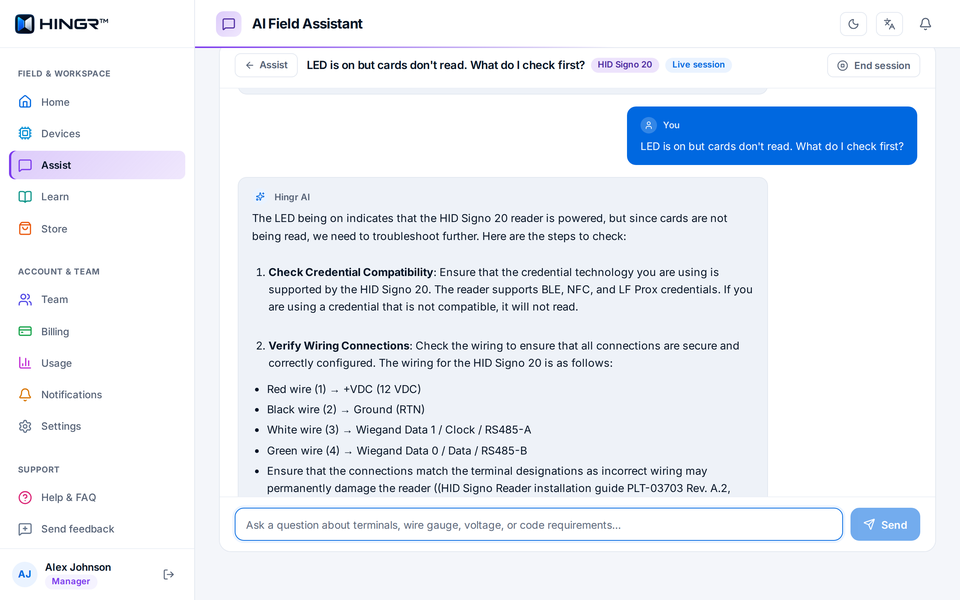
Describe what you are seeing. Assist starts with the quickest, most cost-effective checks, like power and wiring, before anything is replaced, asks what you measure, and grounds every answer in the device catalogue and 37,000+ indexed excerpts from 600+ manufacturer documents — not the open internet. Talk it through hands-free in the mobile app, or type at your desk on the web.
- Sources under every answer, so you can see which manufacturer document it relies on and decide how much to trust it.
- Voice in, voice out (mobile app) — hands-free mode listens, answers aloud and listens again while your hands are on the meter probes.
- Conversations you can come back to — saved on your account, ended with an outcome, reopened, or handed off to the manufacturer.
- Rate any answer with a thumbs up or down — it goes straight to us.
- Apprentice mode adds the reasoning behind each step for newer technicians.
50 AI questions and 50 photo or voice actions per person per day; 100 spoken replies. Device cards, wiring, libraries and the store never count.
Point the camera at it
Faded label, painted-over panel, legacy hardware nobody recognises. Take a photo on site with your phone and Hingr reads what is printed on the device, names its best match and opens the card — or offers the closest candidates for you to pick from.
- Identify a controller, reader, strike, lock or power supply from a photo, then jump straight to its wiring.
- Installation review — photograph finished panel wiring and get a checklist: what is good, what needs attention, and what must be fixed before energising.
- Ask a follow-up from the review, already in context.
- Tell it when it is wrong. A correction is one tap; we review corrections and use them to improve recognition.
Photos are processed to produce the answer and are not kept. See the privacy policy.
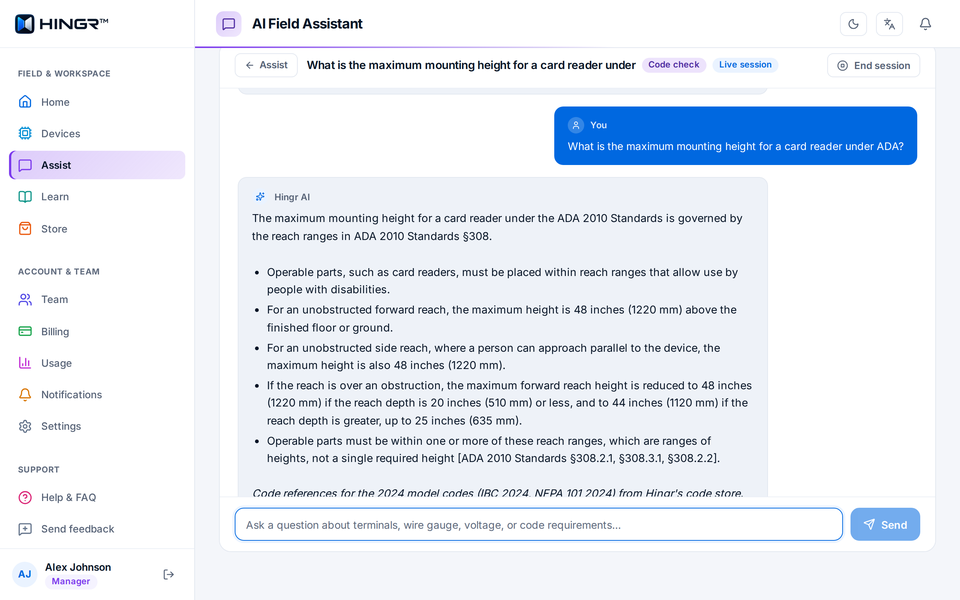
Cited answers, not opinions
Ask a life-safety or building code question the way you would ask a senior technician — is a maglock allowed on a fire exit?, what is the mounting height for this reader? — and get an answer that names the section it relies on. On site from the phone, or at the desk on the web.
- Standards cited: NFPA 101 (Life Safety Code), NFPA 80 (Fire Doors), IBC (International Building Code), and ADA accessibility guidelines.
- Life-safety flags where a shortcut would create an egress or fire-door problem.
- Always ends the same way: confirm the wording with the authority having jurisdiction (AHJ). Hingr is a reference, not a stamp.
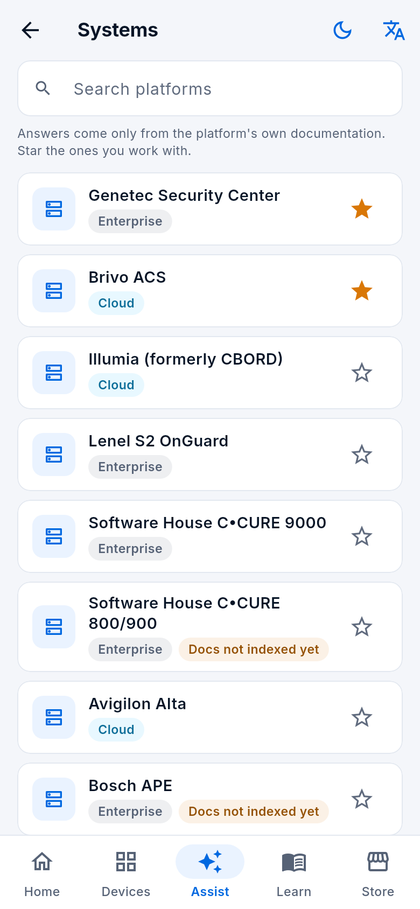
Guided help for 14 platforms
Adding a door in Genetec, enrolling an OSDP reader in OnGuard, or bringing a sub-panel online in C•CURE 9000. Each platform has its own guided tasks and its own indexed documentation, so the answer comes from that vendor's manual and nothing else.
- 14 platforms: Illumia · Lenel S2 OnGuard · Software House C•CURE 9000 · C•CURE 800/900 · Genetec Security Center · Avigilon Alta · Brivo ACS · Bosch APE · Honeywell Pro-Watch · Gallagher Command Centre · PDK io · Verkada · Kisi · Paxton Net2.
- Task flows for the jobs technicians do most on each one.
- Retrieval limited to the platform you are working on, so a Brivo question never gets a Gallagher answer.
- On the phone or the web — at the panel, or at the workstation where the software runs.
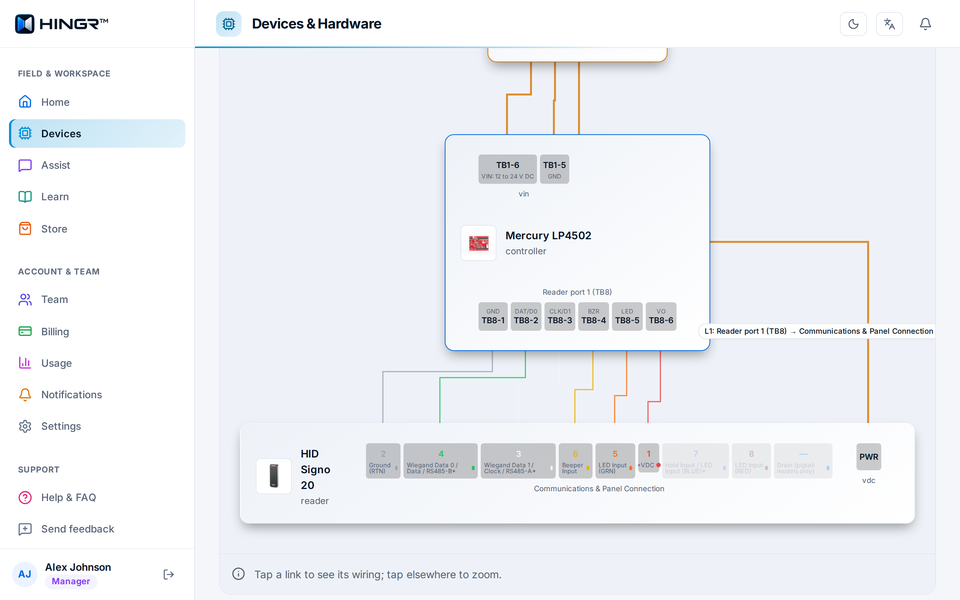
Controller to reader to strike
Choose two or three devices — controller, reader, strike, power supply — and get a terminal-by-terminal plan between them, with wire specs and a drawn diagram. On the web at app.hingr.ai/devices/wiring-plan the diagram fills the screen: tap a link to see its wiring, then print the plan or save it as a PDF.
- Terminal assignments for both ends of every run: power, Wiegand or OSDP data, REX, door position and fire-alarm inputs.
- Wire gauge, shielding and distance limits pulled from the device data, and DIP switch settings where a device has them.
- Safety notes first: verify power is off, check polarity before energising.
- Share, print or save as a PDF for the crew or the customer's handover pack.
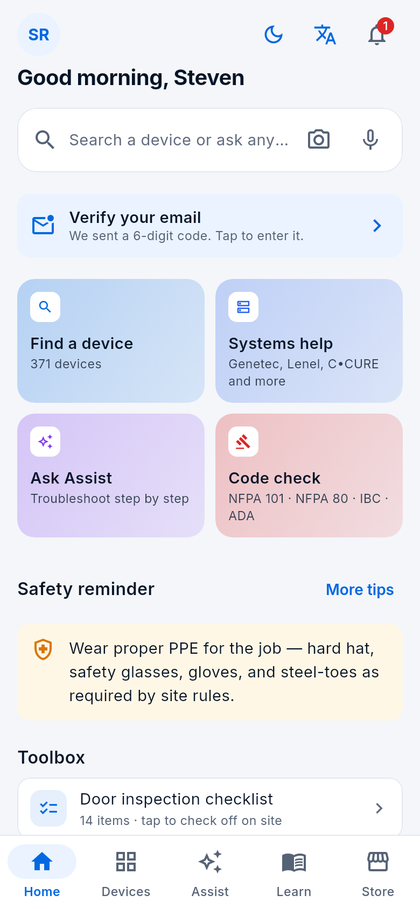
Five libraries and a door inspection checklist
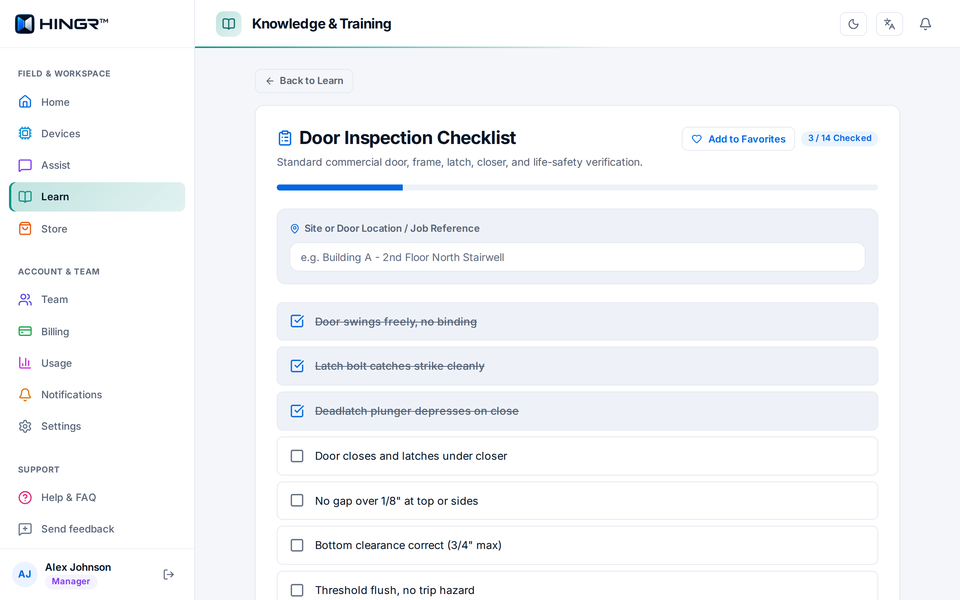
Reference material written for the field, translated on demand, more than 2,000 safety reminders — and a door inspection checklist you tick off on site and hand to the customer.
- Door inspection checklist — 14 checks from swing and latching to clearances and closers; make it your own, add the site address, then email the report to the customer or save it.
- Training — 10 topics from low-voltage fundamentals and RS-485 to Class 2 and 3 circuits, plus NICET exam prep for Levels I–IV.
- Door Guide — measurements, frames, closers and hardware alignment.
- Keys & Cylinders — master keying, IC cores, restricted keyways, key control.
- Life Safety and ADA — NFPA 80/101, delayed egress, fire door ratings; reach ranges, forces and mounting heights.
The supplies the job needs
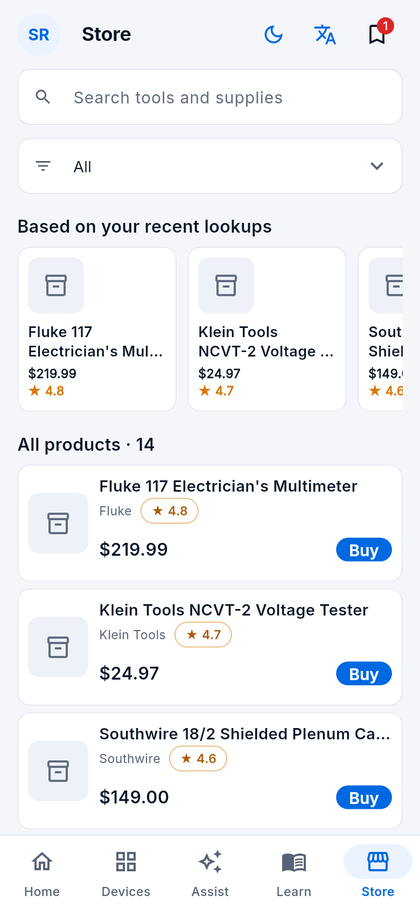
343 curated tools, cable, hardware and testers chosen for access control, security and door hardware work. Recommendations follow your recent lookups, and a device card shows product picks for that device — on the phone or the web.
- Team picks — pin a product and everyone on the team sees it.
- By category: readers and credentials, locks and maglocks, wire and cable, tools and testers, and more.
- Affiliate links — purchases may earn us a small commission at no cost to you; it funds new devices and documentation. See the disclosure in the privacy policy.
One plan, the whole crew
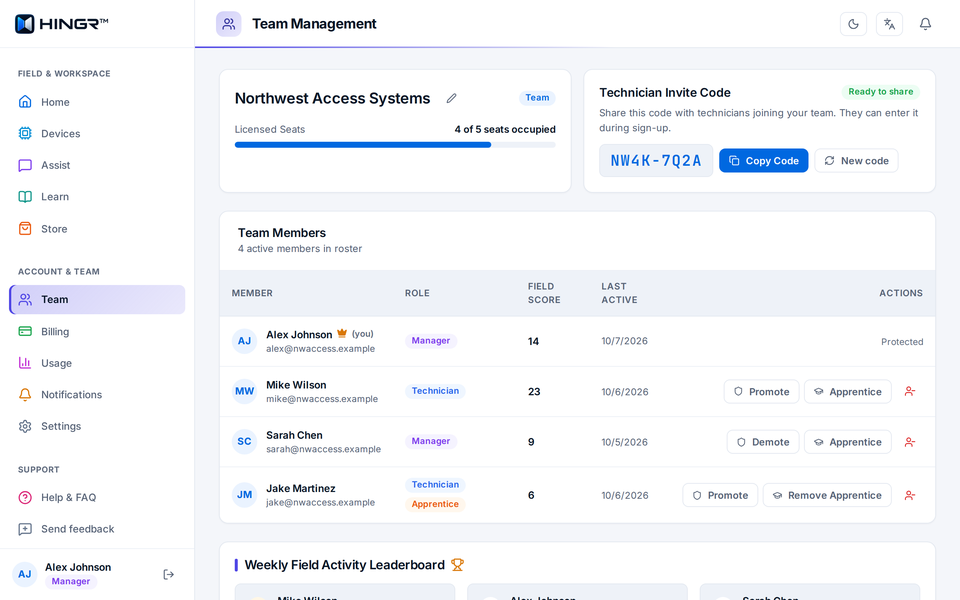
A company is a team. The subscription owner manages it from the phone or at app.hingr.ai/team; technicians join with an invite code and get everything the plan includes on day one.
- Invite codes in the form XXXX-XXXX, regenerable at any time.
- Roles — manager or technician — plus an apprentice flag for more detailed answers.
- This week's activity — lookups and sessions per person, and a note when someone has been quiet for seven days.
- Seats: 1, 5, 10, 20 or 40; the count includes the owner. A shared AI allowance sized to the plan, and invoices on the web.
- Refer a company — share your code; when a company you referred subscribes, we will be in touch to thank you.
Built for basements and elevator shafts
The places technicians work are the places phones lose signal. Hingr is designed so the reference you need is still there.
- Offline device cards (mobile app) — turn it on in Settings and your last 20 lookups stay on the phone, served with a saved-copy label when there is no signal.
- Plain-text export of any device card, saved for when you need it.
- Sign in with email or Google (and Apple on iPhone), optional two-factor with an authenticator app and backup codes.
- Sign out everywhere from Settings, on the phone or the web; changing your password does the same.
- Your data, your call — export it or delete your account from Settings at any time.
Hingr at the desk
The same account, team and catalogue in any modern browser — for the office, the estimator and the manager as much as the technician between jobs.
- A layout for a big screen: the wiring table beside the device's documents and support contacts.
- Wiring plans with the diagram full width, ready to print or save as a PDF.
- Team and billing: members and roles, seats, the invite code, plans and invoices.
- English and Spanish from the language button, remembered on your account.