The AI field assistant for
access control technicians, locksmiths, security integrators, low-voltage technicians, physical security technicians and door hardware professionalsaccess control technicianslocksmithssecurity integratorslow-voltage techniciansphysical security techniciansdoor hardware professionals
Hingr helps technicians troubleshoot and finish installations faster.
Device wiring, AI answers with sources and code references, on your phone or in your browser, in English or Spanish.
Five tabs — Home, Devices, Assist, Learn and Store — and every one of them built for the trade.
Device catalogue
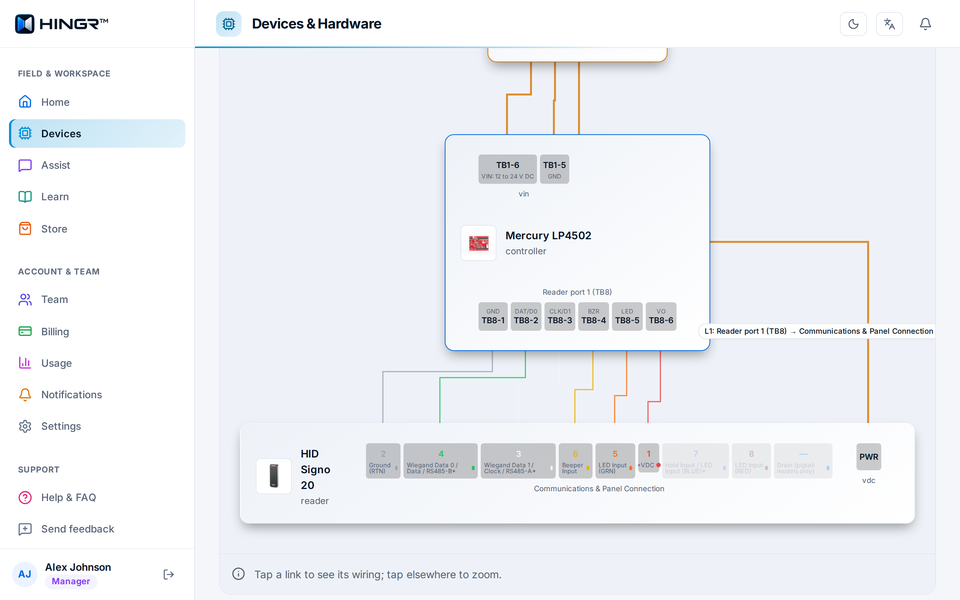
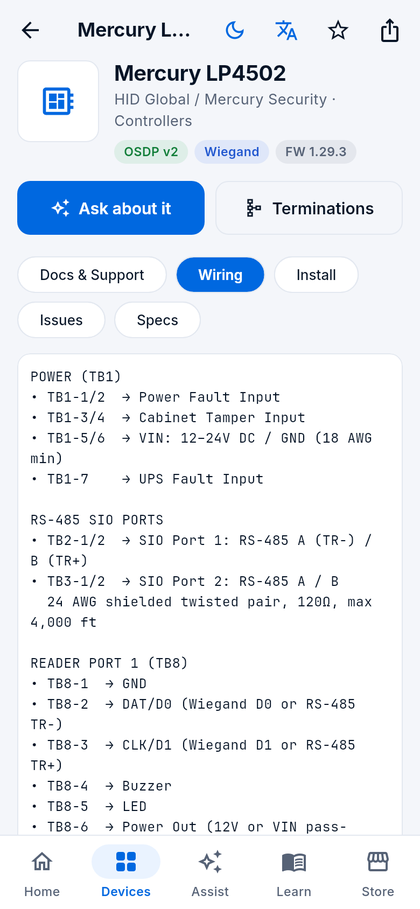
370+ controllers, readers, locks, strikes, power supplies, intercoms and cameras — each with wiring, install notes, common issues and documents, and a generated diagram wherever the wiring has terminals to draw between.
AI troubleshooting
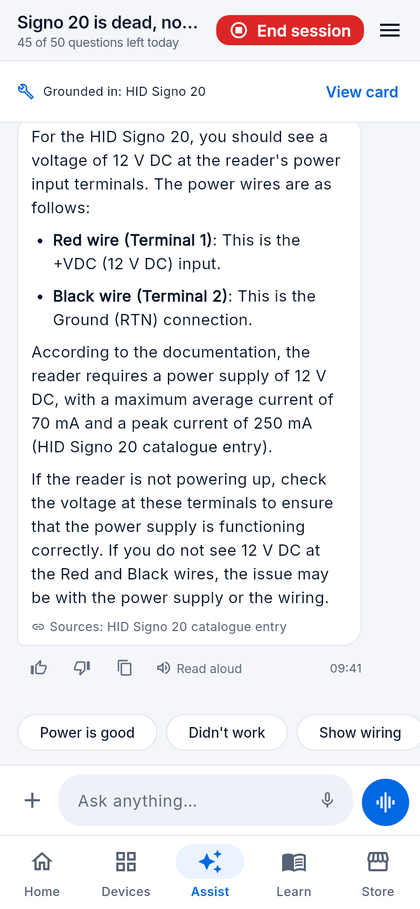
Describe the fault. Assist works through the likely causes step by step, grounded in 600+ manufacturer documents, and names the one each answer came from.
Snap & ID
Photograph a panel or reader and the app identifies it and opens the card. Photograph a finished install for a review of what must be fixed before energising.
Code check
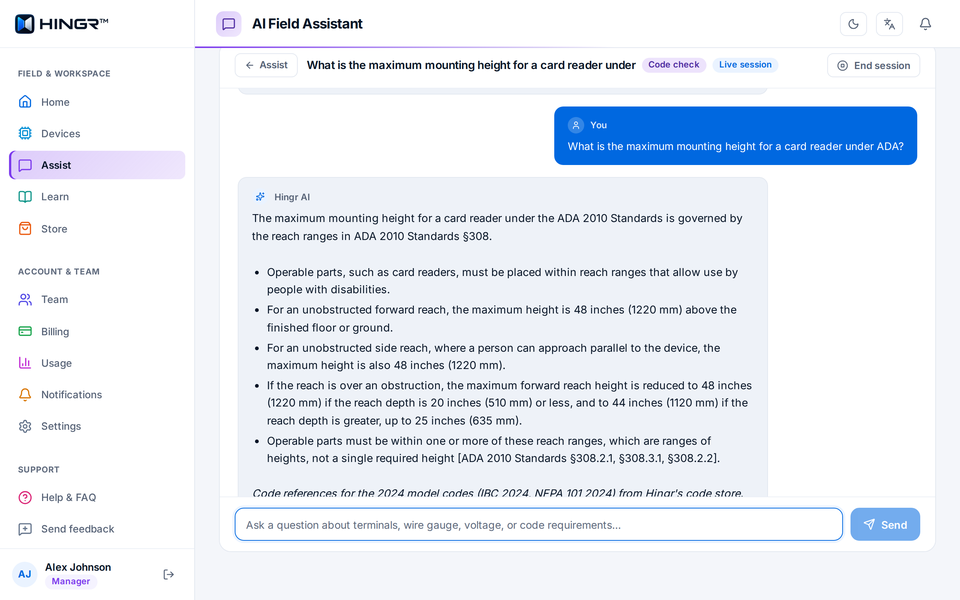
Ask a code question in plain language and get an answer from NFPA 101, NFPA 80, IBC and ADA with the section cited — and a reminder to confirm the wording with the authority having jurisdiction (AHJ).
Platform help
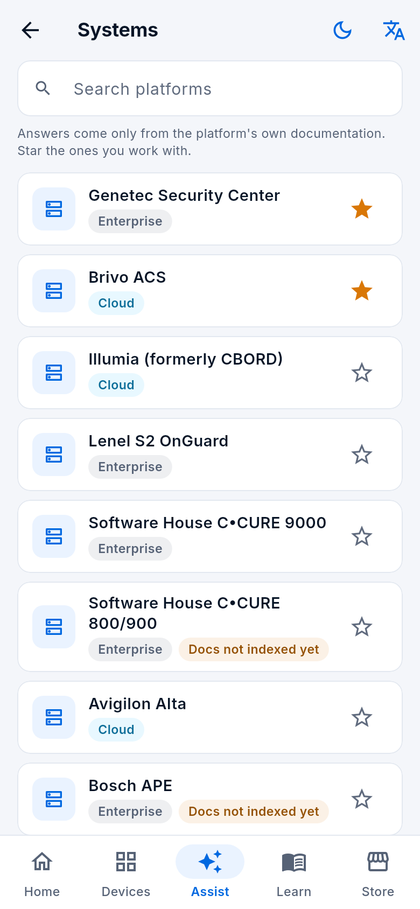
Guided tasks for 14 access control platforms — OnGuard, Genetec, C•CURE, Avigilon Alta, Brivo, Gallagher, Verkada and more — answered from that platform's own documentation.
Wiring plans
Pick two or three devices and get a terminal-by-terminal plan with wire specs, DIP switch settings and a diagram you can tap through, print or save as a PDF — controller to reader to strike, safety notes first.
Learn & checklists
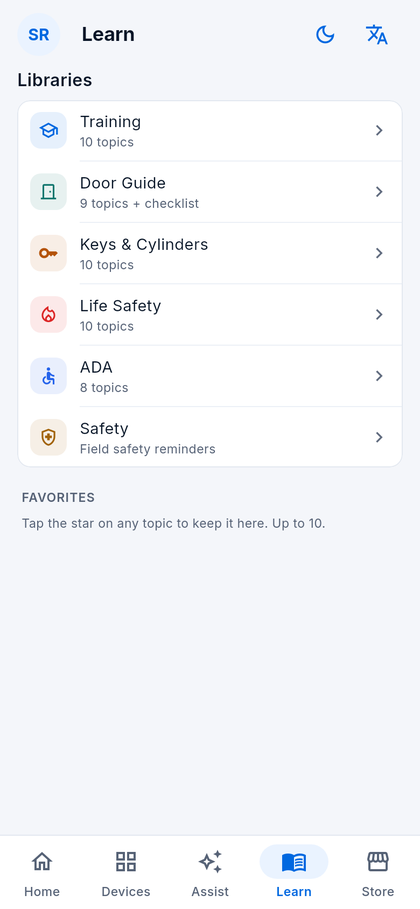
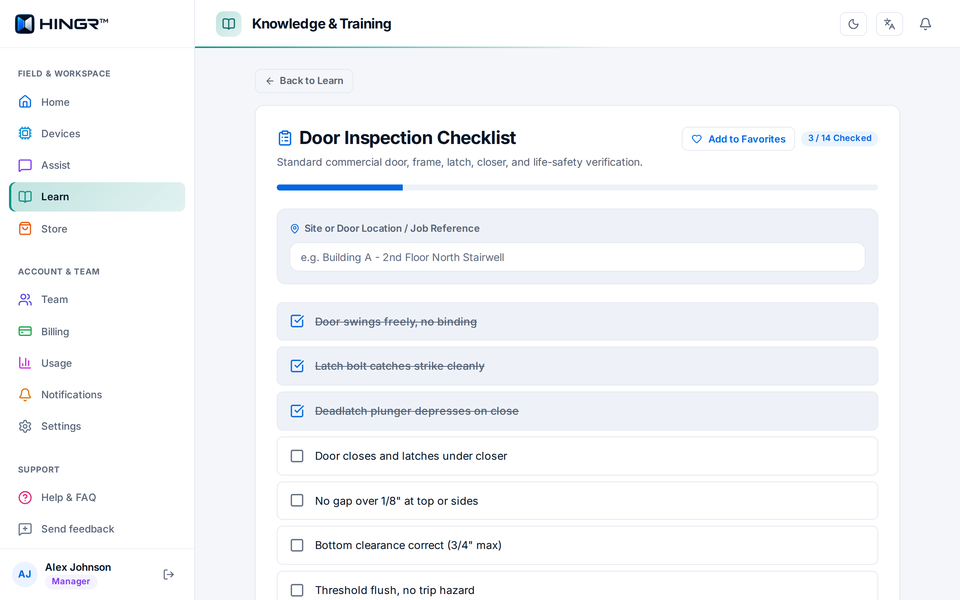
Five libraries — Training, Door Guide, Keys & Cylinders, Life Safety, ADA — plus an interactive 14-point door inspection checklist with text and email export, NICET prep and safety reminders.
Built for teams
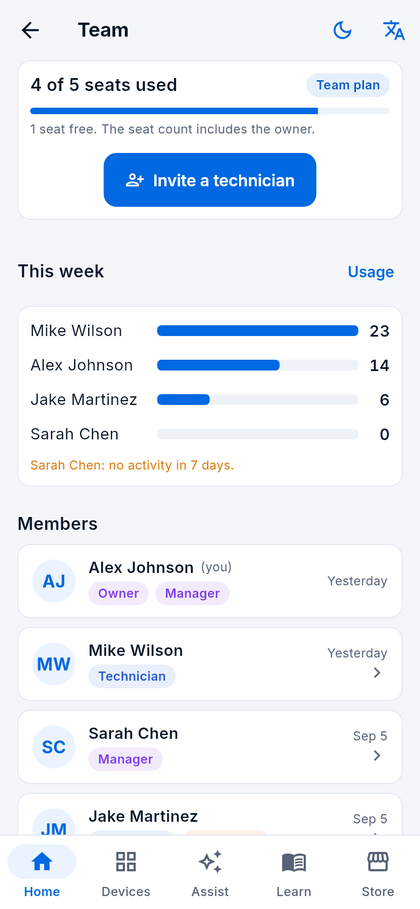
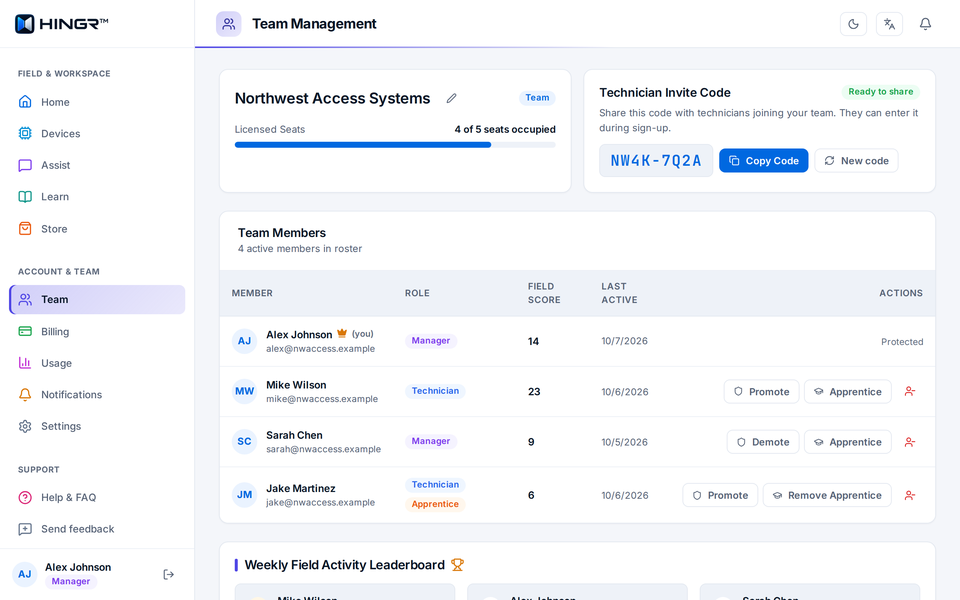
One subscription for the crew. Technicians join with an invite code; managers see who is active, flag apprentices, handle billing on the web, and can refer other companies with a code.
Big targets, high contrast, and voice in both directions — for a technician on a ladder, not a desk.
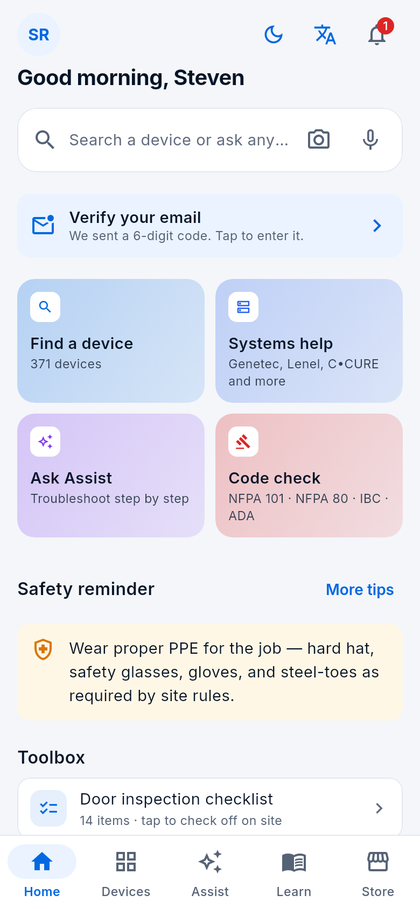
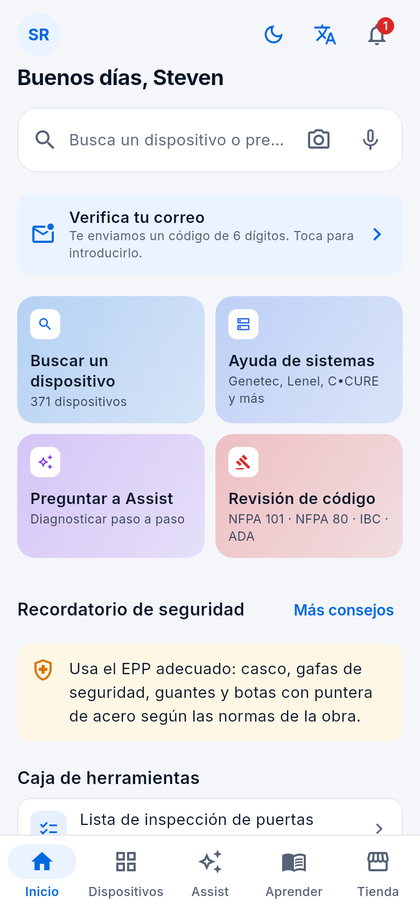
HomeSearch, Snap & ID, Assist, Code check and a new safety reminder each time you open the app
Device cardTerminal-by-terminal wiring, install notes, issues and specs
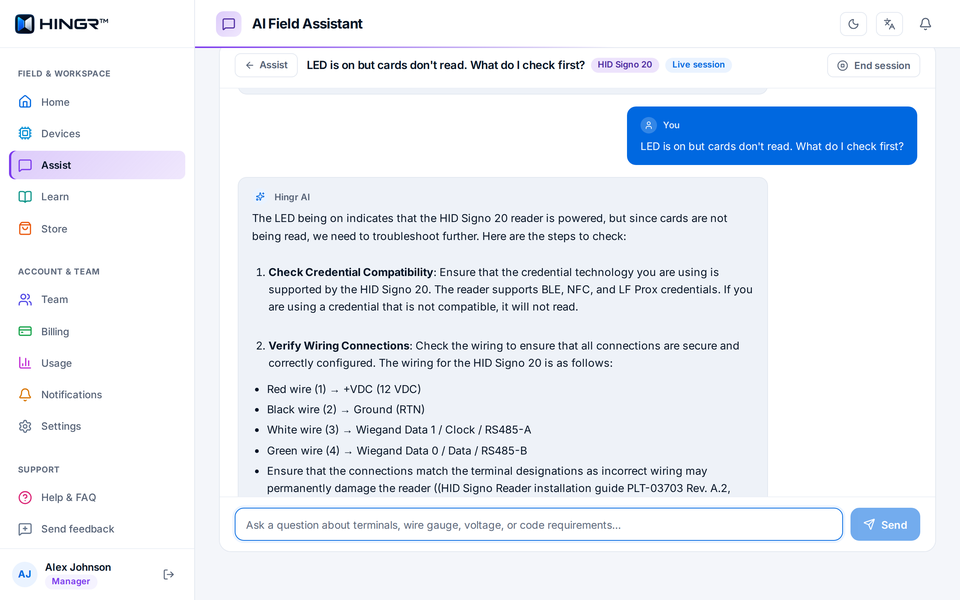
AssistStep-by-step troubleshooting that cites its sources
SystemsGuided tasks for 14 access control platforms
LearnFive libraries, a door checklist and NICET prep
TeamSeats, invites, roles and who did what this week
En españolThe whole app, including AI answers and guides
At the desk
The Hingr Web Portal
The same account, catalogue and Assist on a big screen — wiring tables beside the device documents, diagrams you can print — in any desktop browser at app.hingr.ai.
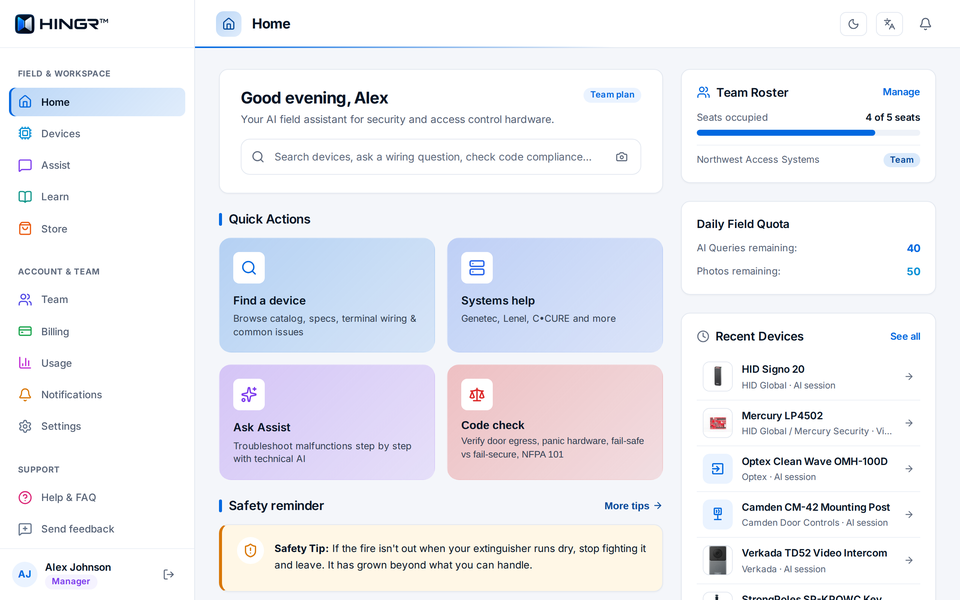
app.hingr.ai/
HomeSearch, quick actions, recent devices, seats and the daily allowance
app.hingr.ai/devices/wiring-plan
Wiring plansTerminal-by-terminal diagram, wire specs, print or save as PDF
app.hingr.ai/devices/1
Device cardsWiring, install notes, common issues, manuals and the maker's support line
app.hingr.ai/assist
AssistTroubleshooting that names the manufacturer document behind each step
app.hingr.ai/assist
Code checkAnswers that cite the section: NFPA 101, NFPA 80, IBC and ADA
app.hingr.ai/learn/checklist
Door inspection checklist14 checks, saved as you go, sent by email or downloaded
app.hingr.ai/team
TeamMembers and roles, seats, the invite code and this week's activity
app.hingr.ai/ (Español)
En españolOne tap switches menus, device cards and answers to Spanish
Access the web portal directly at app.hingr.ai or install the Android app from Google Play. Sign up with email or your Google account.
02
Start a team or join one
Create your company's team and get a 7-day trial with up to 10 seats — or enter the invite code your manager sends and you are in.
03
Find, ask or snap
Type a model number, describe a fault, hold the mic, or point the camera. Answers arrive with the source they came from.
04
Bring the crew
Pick a plan when the trial ends. Invite technicians, mark apprentices for more detailed answers, and see activity across the team.
app.hingr.ai/team
For managers
Run the crew from desktop or mobile
The subscription owner is the team's manager. Everyone on the team shares one plan, one device catalogue and one monthly AI allowance — whether on site with the phone app or at a desk at app.hingr.ai.
Invite with a code. An 8-character code technicians type in on phone or web. Regenerate it any time.
Roles that mean something. Promote a technician to manager, remove someone and access ends immediately.
Apprentice mode. Flag a new hire and Assist adds the why behind each step and field notes on every device card.
Who did what this week. Lookups and sessions per person, and a nudge when someone has gone quiet for seven days.
Complete billing on the web. Change plan, add seats and download invoices at app.hingr.ai.
Pricing
Every feature on every plan.
Start with a 7-day free trial — no card needed. Subscribe on the web when the trial ends. Plans differ by seats and by the team's monthly AI allowance, shown on each plan.
AI allowance is the dollar budget your whole team shares each month, owner included. It covers Assist, Snap & ID, wiring plans and read-aloud, which pause when it runs out. It resets on the 1st. When it runs out, device cards still show specs, wiring and install notes, and the libraries and the store stay open.
Every plan includes
AI troubleshooting with sources, by text or photo, plus voice in the mobile app
370+ device cards: wiring, install notes, common issues, manuals
Site wiring plans with diagram, print and PDF
Snap & ID: identify hardware and review installs from a photo
Code reference (NFPA 101, NFPA 80, IBC, ADA) with the section cited
Guided help on 14 access control platforms
Door inspection checklist with a report to save or email
Store: curated tools and supplies, with product picks for your devices
Sample video tutorials on device cards
Manufacturer support contact details on device cards
Training libraries and safety tips
Web and mobile, in English and Spanish
Team, Squad, Division and Enterprise add
Invite codes, manager and technician roles, apprentice mode
Team usage dashboard and a shared AI allowance sized to the plan
Prices in USD, billed through Creem. The seat count includes the owner. Need more than 40 seats? Talk to us about a custom plan. Plans are bought and managed on the web at app.hingr.ai. Cancel any time — you keep access until the end of the period you paid for.
Get started
Choose your platform
Start instantly in any desktop browser, or install the mobile app for field work.
Web Portal
Available now
Everything in the app on a bigger screen — device cards, Assist, wiring plans, Learn, Store — plus team management and billing.
Open app.hingr.ai in your browser.
Sign in or create an account for a 7-day trial.
Nothing to install: works on any computer or tablet.
Yes. The full web portal runs in any modern browser at app.hingr.ai with the same account, device catalogue, interactive wiring diagrams, AI troubleshooting, and team controls.
Which phones does it run on?
Android is on Google Play. iPhone is coming soon to the App Store; until then use the web portal in Safari.
Is there really no card for the trial?
Correct. Start a team and you get 7 days of everything, up to 10 seats, with nothing to enter. When it ends you choose a plan inside the app or on the web.
Where do the AI answers come from?
From the device catalogue and 600+ manufacturer documents we have indexed — installation guides, wiring specifications and spec sheets. Each answer names the document it used.
What if my plan lapses?
The device catalogue stays open — search, wiring, install notes and common issues. A technician at a panel never loses the reference they had yesterday. The AI features, photo ID, diagrams, Learn and Store need an active plan.
Can I delete my data?
Yes, from Settings → Delete account, or from this page without the app. Everything goes, and any subscription you own is cancelled first.